Viewing Audit Logs
The Audit Logs option allows user to track the status of the scheduled emails of the report sent to the user (both success and failure). The audit log of the report can be viewed only if the report is saved as User Favorites report
Navigate to Reports ➜ All Reports ➜ User Favorites.
Select the preferred scheduled report to view the audit log.
Click the Audit Logs icon. The Scheduler Audit Logs screen is displayed.
Enter the following details:
|
Field |
Description |
|---|---|
|
Email ID |
The email address of the user. |
|
From |
The date from which the log must be generated. |
|
To |
The end date until when the log must be generated. |
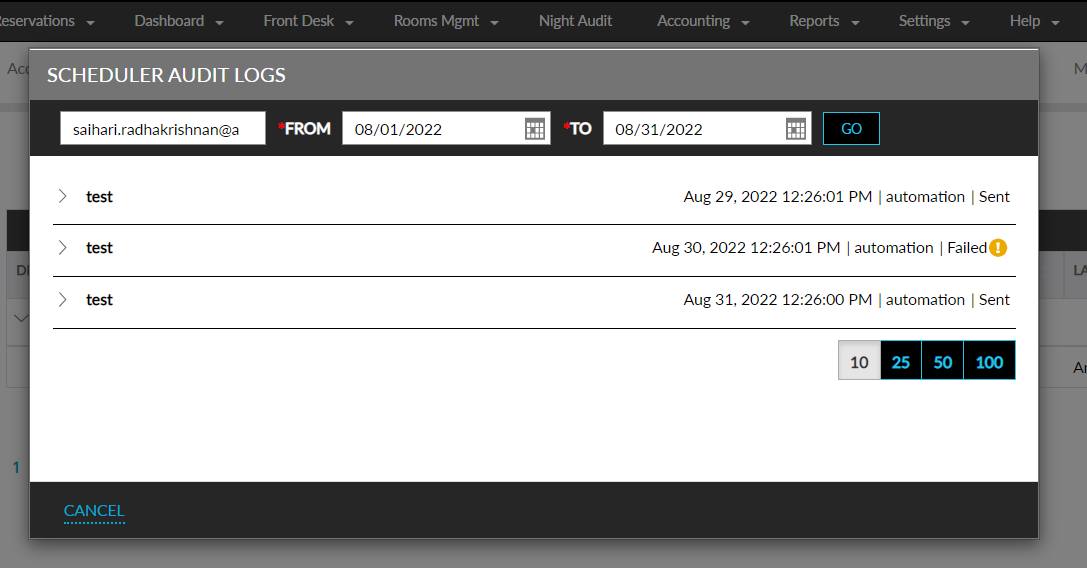
Click Go.